
On this page
Editing Functionality
Digitising with Z enabled applications in UNE for ArcGIS introduces enhanced editing capabilities. Some of the extra functionality and behaviour is described below
Stacked Features
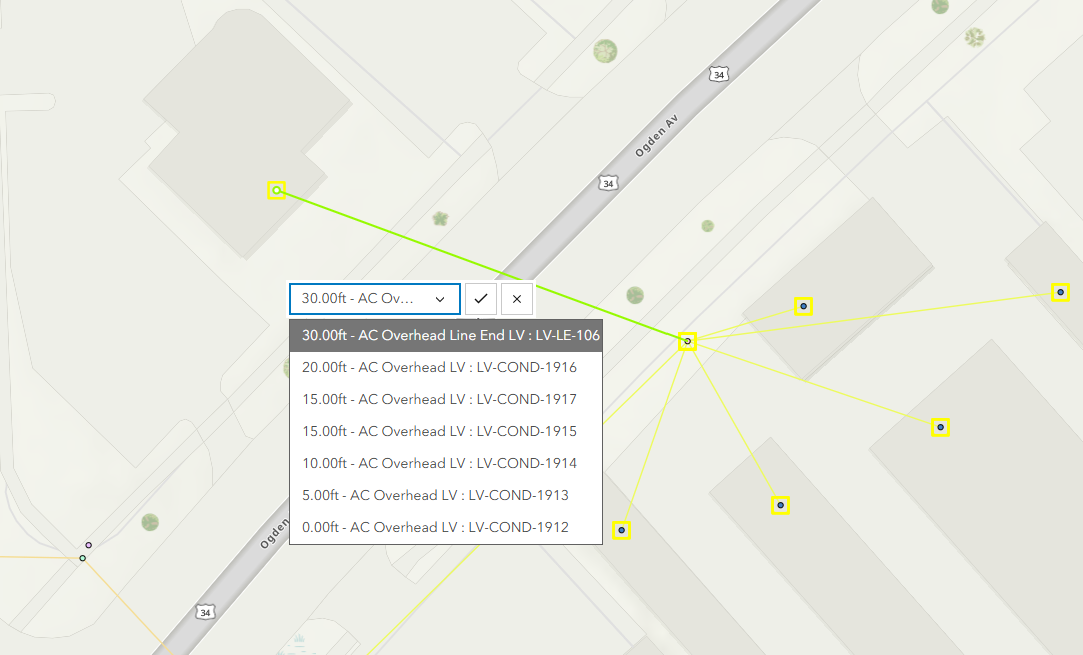
When digitising a new feature and snapping to an existing vertically stacked feature, a dropdown menu will allow the user to assign a Z value to the vertex from the other features already in the stack.
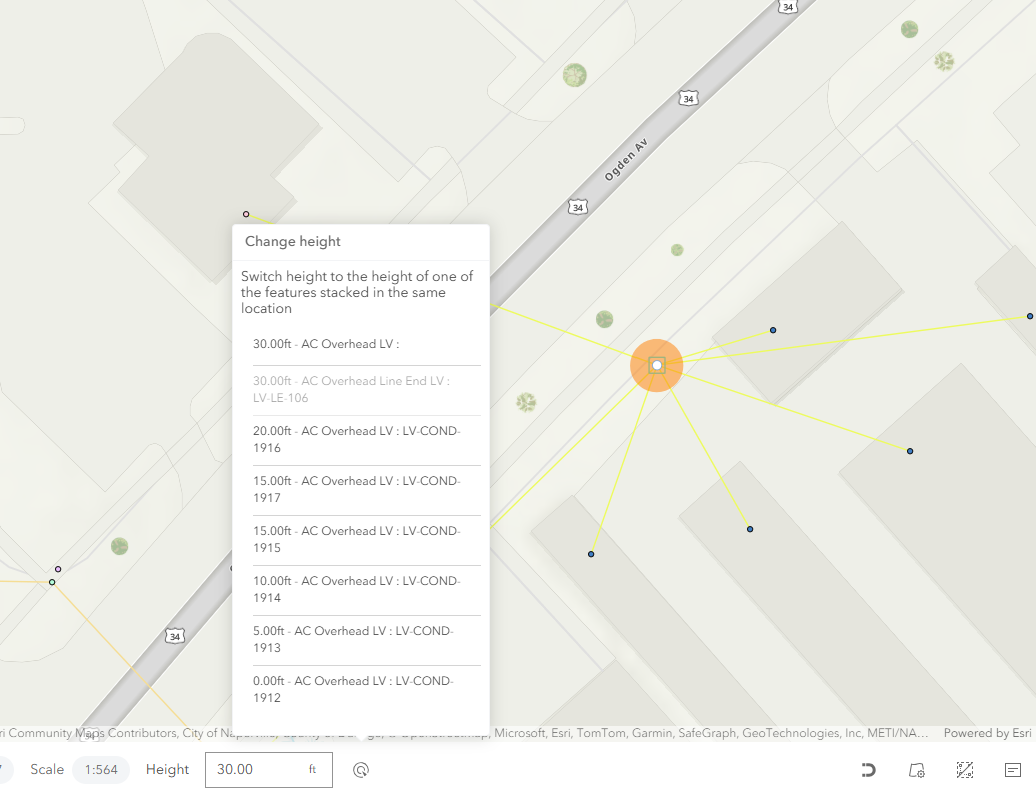
Alternatively, it is possible to edit the height of an existing feature in a stack by using vertex/network reshape and selecting the change height button in the bottom footer.
It is possible to set a trace starting point or barrier within a vertically stacked feature using the dropdown menu during creation.
Snapping
Snapping to an existing feature without entering a Z value in the footer will result in the new feature inheriting the existing feature’s Z value.
For sloped line features, such as one with a Z value of 0 m at the start and 10 m at the end, snapping to the line uses a linear interpolation to determine the new feature’s Z value. The system assumes a consistent slope between vertices and assigns a Z value based on the relative position along the line.
For example, snapping three-quarters along the line would assign a Z value of 7.5 m when the user does not input a Z value.
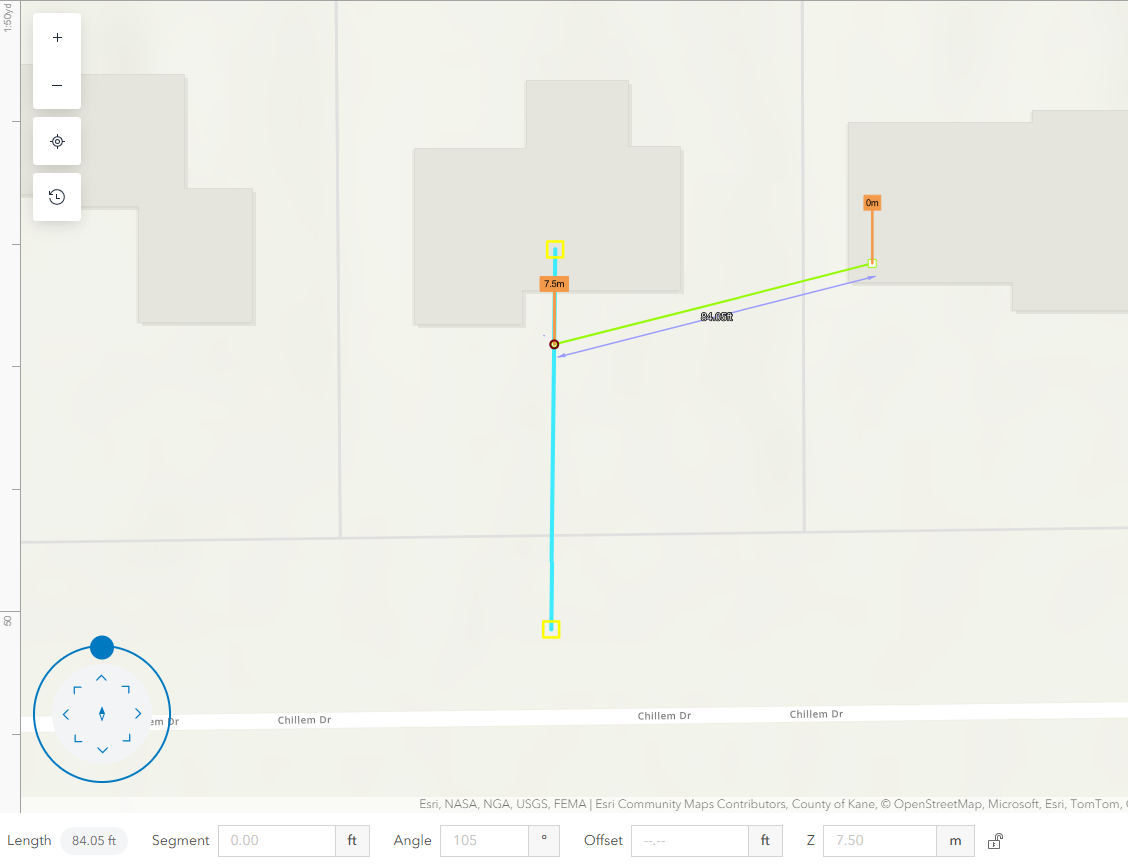
Snapping with an inputted Z value will override the Z value of the feature being snapped to and will not result in connected features/cracking when the Z values are different.
Disabling the Choose height from alternatives snapping setting in the client will remove the stacked feature dropdown during snapping and instead will cause the new feature being created to inherit the largest Z value in the stack.
Vertex/Network Reshaping
The Z value of a vertex can be edited on individual features using the vertex reshape button.
The Z values of multiple connected features can be updated in one operation using the network reshape button. These features must share the same Z value on the vertex being edited.
Pasting
Copy and Pasting a feature will result in the pasted features retaining the same Z values at each vertex.
Split/Subtract
Splitting a line feature or subtracting a portion away will result in interpolated Z values at end vertices.